

How to Transfer Crypto from Binance to TP Wallet: A 2024 Step-by-Step Guide

Navigating the world of cryptocurrency transfers can seem daunting, especially when moving assets between a major exchange like Binance and a secure, self-custody wallet like TP Wallet. Whether you're looking to enhance your security, interact with decentralized applications (dApps), or simply take control of your digital assets, knowing how to execute this transfer correctly is crucial. This comprehensive guide will walk you through the entire process, from preparation to confirmation, ensuring your funds move safely and efficiently. We'll also cover common pitfalls, network selection, and tips to avoid costly mistakes, making this your go-to resource for managing your crypto portfolio.
Why Transfer from Binance to TP Wallet?
Before diving into the "how," it's essential to understand the "why." Keeping all your crypto on an exchange like Binance, known as a custodial wallet, means the exchange holds the private keys to your funds. Transferring to TP Wallet, a non-custodial wallet, gives you sole control. The primary benefits include enhanced security, as you are no longer a target for exchange-wide hacks; full ownership and control over your private keys; and the ability to interact directly with the decentralized finance (DeFi) ecosystem, including swapping tokens, staking, and using various dApps that are not available on centralized platforms. This move is a fundamental step towards true financial sovereignty in the digital age.
Prerequisites: What You Need Before You Start
A successful transfer hinges on proper preparation. First, ensure you have an active and verified Binance account with the cryptocurrency you wish to withdraw available in your spot wallet. Second, you must have TP Wallet downloaded and installed on your mobile device. Crucially, you need to have created a new wallet or imported an existing one within the TP Wallet app. During this setup, you will be given a secret recovery phrase (usually 12 or 24 words). Write this down on paper and store it in a secure, offline location. This phrase is your only way to recover your wallet if you lose your device—never share it with anyone. Finally, ensure you have a small amount of the native currency for the network you'll be using (e.g., BNB for BSC, ETH for Ethereum) to cover transaction fees, known as gas fees.
Step 1: Locate Your TP Wallet Deposit Address
The first active step happens within your TP Wallet. Open the app and select the cryptocurrency you want to receive from Binance. For example, if you are transferring USDT, find and tap on the Tether (USDT) asset in your wallet. Once on the asset's page, tap the "Receive" button. This will display your unique public wallet address—a long string of letters and numbers—and a QR code. It is vital that you copy this address correctly. Double-check that you have selected the correct coin and, more importantly, the correct network, which we will discuss in the next critical step. Using an address for the wrong cryptocurrency will result in permanent loss of funds.
Step 2: The Critical Step of Network Selection
This is the most important part of the entire process and where most errors occur. Cryptocurrencies like USDT, BTC, and ETH can exist on multiple blockchains (networks). You must ensure the network you select on Binance matches the network you are prepared to receive on in your TP Wallet. For instance, USDT can be sent via the BNB Smart Chain (BEP20), Ethereum (ERC20), Tron (TRC20), and others. If you send USDT via the ERC20 network from Binance but your TP Wallet is set up to receive on the BEP20 network, your funds will be lost. When in doubt, always select the same network on both platforms. The BNB Smart Chain (BEP20) is a popular choice due to its significantly lower transaction fees compared to Ethereum.
Step 3: Initiating the Withdrawal on Binance
Now, log in to your Binance account, either on the web or via the app. Navigate to your "Spot Wallet" and find the cryptocurrency you wish to withdraw. Click on "Withdraw." You will be presented with a form requiring three key pieces of information. First, paste the TP Wallet address you copied in Step 1 into the "Address" field. Second, and most critically, select the correct "Network" that corresponds with your TP Wallet setup. Third, enter the amount you wish to transfer. Binance will often show a warning to verify the address and network—heed this warning. You can start with a small test transaction, especially for large transfers, to ensure everything is working correctly.
Step 4: Confirming the Transaction and Checking Status
After submitting the withdrawal request, Binance will send a confirmation email to your registered email address. You must click the link in that email to authorize the transaction. Once confirmed, the withdrawal status will change to "Processing" and then "Completed." The transaction will now have a Transaction ID or Hash (TxID). You can copy this TxID and use a blockchain explorer (like BscScan.com for BEP20 transactions or Etherscan.io for ERC20) to track its progress in real-time. Depending on network congestion, the transfer can take anywhere from a few seconds to several minutes. The funds will automatically appear in your corresponding TP Wallet once the network has confirmed the transaction.
Common Mistakes and How to Avoid Them
Even experienced users can make costly mistakes. The number one error is an incorrect network selection, as mentioned. Always double-check. The second common mistake is sending a token that is not supported by TP Wallet's built-in DApp browser or swap function. Ensure the token is listed within the wallet. Third, forgetting to account for gas fees can leave you with crypto stuck in your wallet, unable to be moved or swapped. Always keep a small balance of the network's native token for future transactions. Finally, falling for phishing scams is a constant threat. Only use official links for Binance and TP Wallet, and never enter your secret recovery phrase on any website.
Troubleshooting: What to Do If Your Crypto Doesn't Arrive
If your funds haven't appeared in your TP Wallet after a reasonable amount of time, don't panic. First, go back to Binance and check the withdrawal status. If it says "Completed," your transaction was broadcast to the blockchain. Use the provided TxID to search for it on a blockchain explorer. If the explorer shows the transaction as successful and sent to the correct address, the issue is likely on the TP Wallet side. Try refreshing your wallet balance or re-adding the token contract address manually in the wallet's "Import Token" section. If the transaction fails or is stuck, you may need to contact Binance support with the TxID for assistance.
Conclusion: Mastering Your Crypto Transfers
Transferring cryptocurrency from Binance to your TP Wallet is a fundamental skill for any crypto enthusiast. By following this step-by-step guide—paying meticulous attention to wallet addresses, network selection, and transaction fees—you can move your assets with confidence and security. This process empowers you to move beyond being a simple exchange user to becoming an active participant in the broader blockchain ecosystem. With your funds securely held in your own TP Wallet, you are now ready to explore the vast world of DeFi, NFTs, and decentralized applications, all while maintaining full control over your digital wealth.
“How to Transfer Crypto from Binance to TP Wallet: A 2024 Step-by-Step Guide” 的相关文章
USDT TRC20安全吗?全面解析波场链USDT的安全性 | 加密货币指南
USDT TRC20安全吗?全面解析波场链USDT的安全性什么是USDT TRC20?USDT TRC20是基于波场(Tron)区块链发行的USDT稳定币,与ERC20(以太坊)和OMNI(比特币)版本的USDT相比,它以其极低的手续费和快速的交易确认时间受到广泛欢迎。然而,关于其安全性一直存在争议...
最适合USDT的加密钱包 - 安全存储与便捷交易指南
最适合USDT的加密钱包:安全存储与便捷交易指南USDT钱包选择的重要性USDT(泰达币)作为市值最大的稳定币,广泛应用于加密货币交易、跨境支付和DeFi领域。选择适合的USDT钱包不仅关系到资产安全,还影响交易效率和成本。由于USDT可在多个区块链上发行(Omni、ERC20、TRC20等),钱包...

超越“数字黄金”;以太坊的无限可能与蜕变之路
超越“数字黄金”:以太坊的无限可能与蜕变之路以太坊 区块链 ETH 智能合约 DeFi NFT Web3 权益证明目录· 以太坊:不仅仅是数字货币,更是全球计算机· 以太坊、以太币与 ETH:概念辨析· 智能合约的魔力:自动化信任的基石· 以太坊的“进化论”:...
FTX USDT提现手续费全面解析
FTX USDT提现手续费全面解析(2025年最新版)更新时间:2025年8月1日在加密货币交易中,提现手续费是投资者必须考虑的重要成本因素。本文将以FTX交易所的USDT提现为例,详细解析当前费率结构、影响因素以及优化策略,帮助用户降低交易成本。一、FTX USDT提现基础费率截至2025年8月,...

BTC价格历史记录:比特币从诞生到2025年的价格演变全解析
BTC价格历史记录:比特币从诞生到2025年的价格演变全解析最后更新:2025年8月1日目录比特币价格概述早期发展阶段(2009-2012)第一次繁荣与泡沫(2013-2014)成熟期与机构入场(2015-2017)2017年大牛市2020-2021市场周期当前市场状况(2022-2025)影响BT...
数字黄金的“纸”与“实”;清崎警告ETF风险,专家力证其安全性
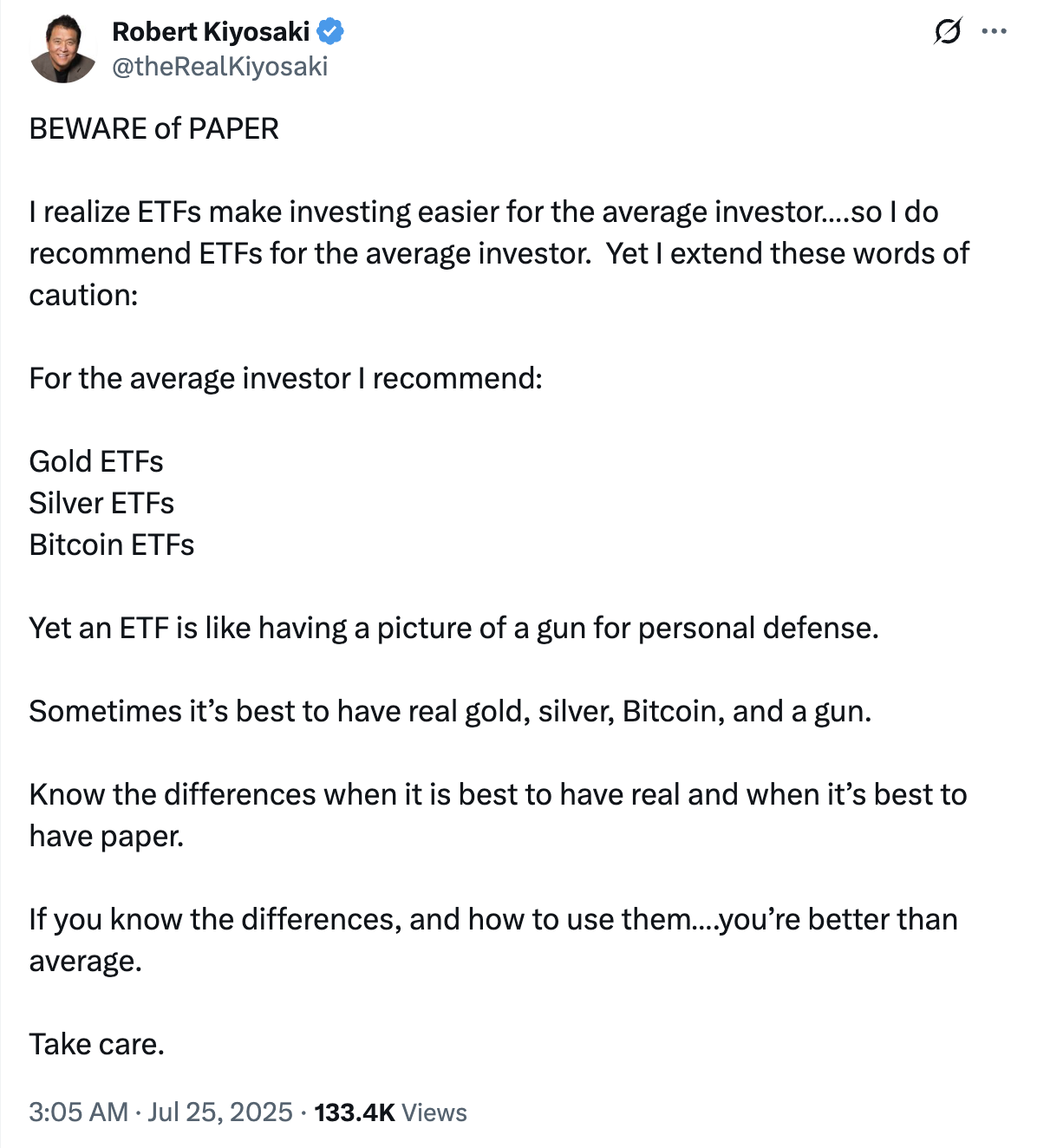
数字黄金的“纸”与“实”:清崎警告ETF风险,专家力证其安全性标签: 罗伯特·清崎 比特币ETF 黄金 白银 实物资产 纸质资产 银行挤兑目录:· 序章:富爸爸的“枪支比喻”· 清崎的担忧:警惕“纸上财富”的幻象· 银行挤兑:一个古老的金融梦魇· ETF的防线...